
If your organisation has enabled the Pay Per View option, or if you are not part of an organisation that subscribes to Informit full text content, you can purchase articles directly.
To purchase an article:
Click the Buy Now link on the article page.
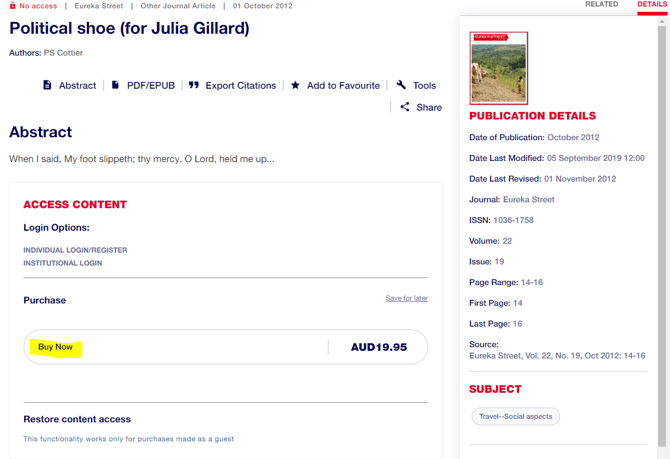
Select the cart icon at the top right corner of the screen.

Choose to purchase as a returning user or continue as guest.
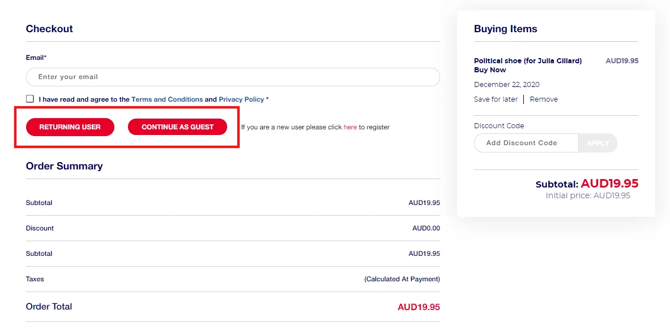
Once you have entered your bank details and confirmed the purchase, click on the link to your article to download it to your device.
Note:
If the Buy Now link does not appear, that article has not been made available for individual purchase.
Still Need Help?
Reach out to our Customer Success team.