
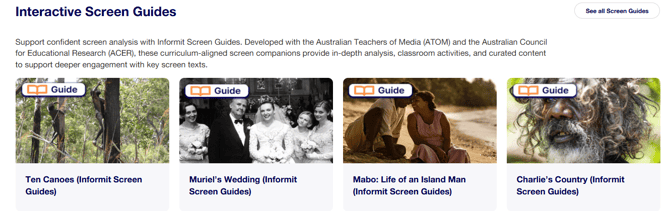
The guides have been developed in partnership with educational and media professionals from the Australian Council of Educational Research (ACER) and Australian Teachers of Media (ATOM). They help teachers and students critically engage with films, television programs, and documentaries through structured activities, discussion prompts, scene analysis, and assessment-ready materials.
Screen Guides can only be used as part of an Explore Media subscription, since video clips and links are integrated into each guide and these are only available to Explore Media subscribers.
Each Screen Guide:
- Supports a full unit of work based on a screen text
- Supplements existing English, Film, Media Studies and HASS programs
- Provides homework tasks and independent learning activities
- Offers ready-made lesson content for relief or substitute teachers
- Supports assessment planning, differentiation, and scaffolding
Access the screen guides via the Media Hub on Explore
The Explore Media Hub is Explore’s central access point for screen resources. Here, you will find all of our screen guides plus a wealth of curated video content.
Who are Screen Guides written for?
- Secondary school teachers (Years 7–12)
- Teacher librarians who are supporting classroom programs
- Students and teachers of English, Media, Film, and related subjects
- Teachers and students of humanities and social sciences who can use the guides to stimulate classroom discussion on historical, social, cultural, and political issues.
- Schools looking to embed Australian screen content into teaching programs
Please note:
- Your school’s classification settings, configured during Explore Media set-up, may restrict student access to some screen guides.
- Teachers can access all Screen Guides by creating and logging into an individual account
- Teachers can provide student access by generating an access link or embedding on their white-listed LMS
What’s included in a screen guide?
Each guide is tailored for a specific film or program and typically includes:
- A link to the entire video
- Introduction and background information
- “Before Watching” activities to investigate prior knowledge and expectations
- “Check your understanding” quizzes centred on the program’s wider social and historical themes
- “Take Another Look” scene analysis, in which short clips of pivotal scenes are examined more closely
- “After Watching” activities to deepen understanding
- Hints for complex questions, which support independent learning and teacher instruction
- Links to related articles and videos on Informit, including reviews, analysis, and interviews Curriculum links that demonstrate alignment with the Australian Curriculum
How can Screen Guides be used in the classroom?
Teachers may choose to work through an entire guide over a series of lessons or select individual activities to suit their teaching context.
- Teachers can display the guides in the classroom and work through the activities with students
- Guides can be integrated into your Learning Management System (LMS) for classroom use or student homework.
- Selected individual activities within any guide can be adapted for classroom use, assessment, or for students’ independent study.
Cite, Save, Share a Screen Guide
Cite or share the Screen Guide or save it to your reading list:
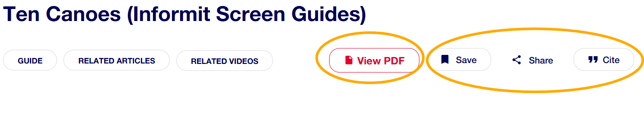

Download the Screen Guide as a PDF
View PDF to open the viewer, then select the download button. The downloaded guide does not include video clips or many interactive features found in the online Screen Guides.
 Still need help? Please reach out to support.informit@rmit.edu.au