
Clips can be shared and embedded in the same way as full programs, giving teachers flexibility to tailor content without losing context or quality.
Clips can be created and shared using an access link from any videos that would otherwise be outside your school's classification limits.
You must be logged into an individual account to create, save, and share clips or short excerpts from longer programs or movies.
Find your video and select “Clip” to display the clipping tool

Use the sliders to adjust the start and end points of your clip. Name and save your clip and add a description, if desired.
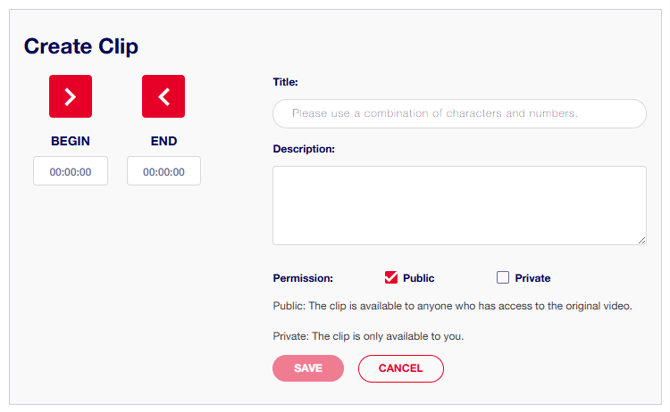
Permissions: Please ensure that you select the default Public option if you wish to share the clip with a student or colleague or use it in a learning resource. The private setting makes the clip accessible only to you.
View and share your clips from "My Account" at top right of screen.
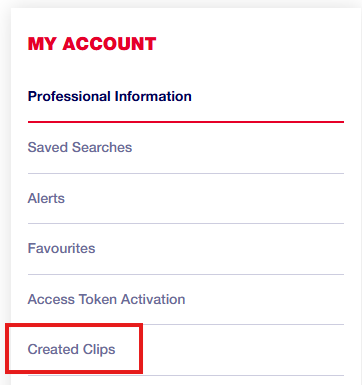
Replay, share or paste your clips into teaching materials and presentations.
 Still need help? Reach out to support.informit@rmit.edu.au